Product
From match video to reviewed highlights
Scenovix reads the scoreboard, follows the ball and the players, and finds 14 types of key moment in tennis. You review the results and export what you need.
Inputs
Bring video the way you have it
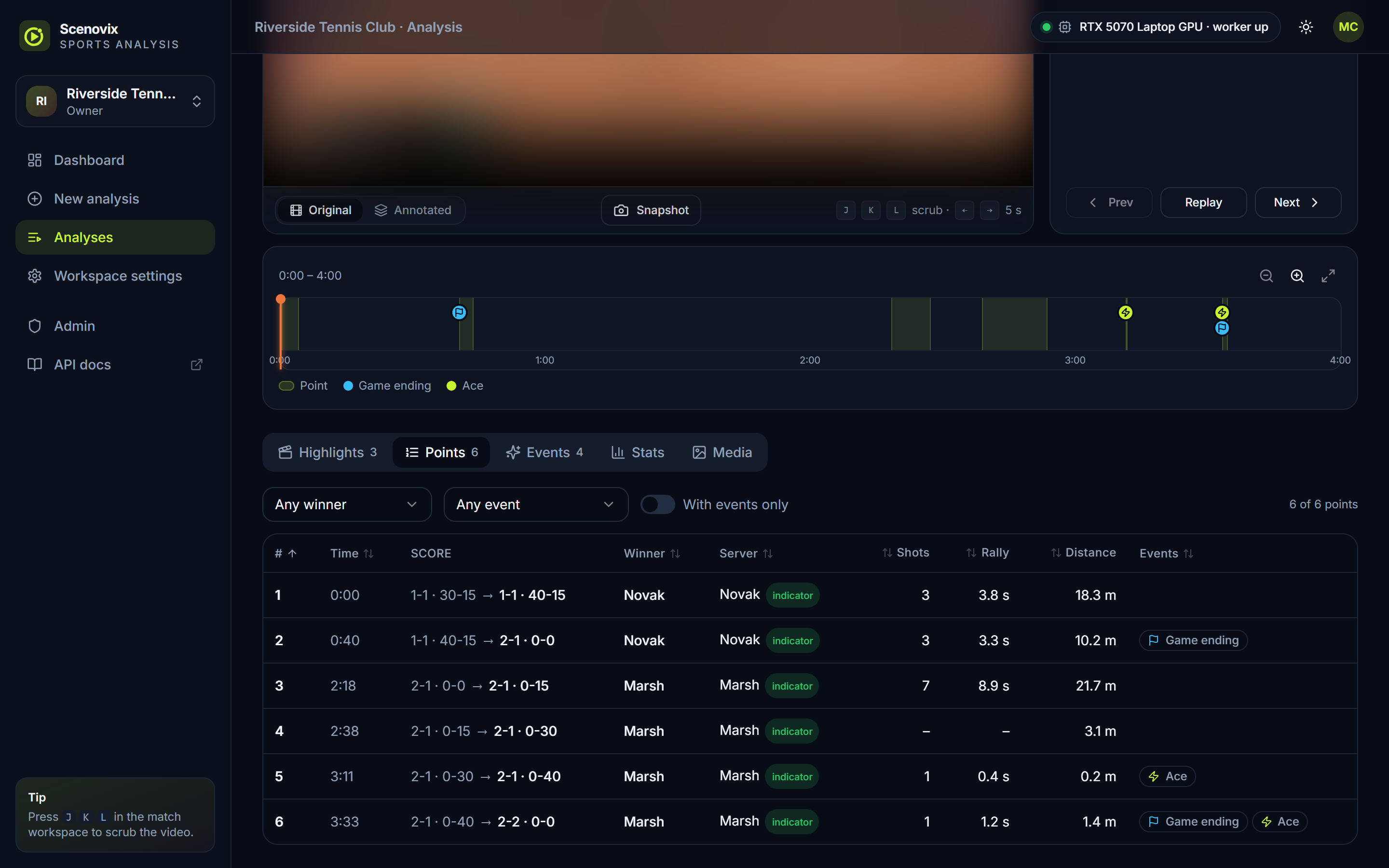
Four ways in, one set of analysis options. Choose the preset and the key moments to look for, then start the run.
Upload
Drop one or more match videos into the browser. Several files start a batch.
MP4, MOV, MKV, AVI, M4V, WEBM, TS, MTS, WMV, FLV
Link
Paste a link to the match video, such as a direct MP4 URL or a page from a supported video site. It is downloaded, then analysed.
Downloaded on the server, up to 1080p
Live stream
Analyse a network stream or a local webcam while it runs. Points appear as they close.
RTSP, RTMP, SRT, UDP, HLS (.m3u8), MJPEG
Server folder
Point at a folder on the server and every supported video in it becomes one job of a batch.
Optionally includes sub-folders
How the analysis works
The scoreboard leads, the video fills in the detail
A point ends when the scoreboard shows a new score. The ball, the players and the audio around that moment tell Scenovix what kind of point it was.
Step 1
Reading the scoreboard
The score on screen drives almost everything. A detector finds the scoreboard and text recognition reads it, a few times per second.
- Reads player names, completed sets, games, points and the serve marker from a standard two-row board.
- Reads up to 5 times per second and skips the work when the board has not changed.
- Fixes common misreads such as the letter O read in place of a zero, and ignores banners that are not a score.
Step 2
Detection and tracking
A detector trained for tennis finds five things in each frame: the ball, the court, the net, the players and the scoreboard.
- Players are tracked across frames. Only people inside the play area count, so umpires, line judges and ball kids are left out.
- Ball and player data are only collected from the main court camera. Close-ups, crowd shots and slow-motion replays are ignored.
- The ball crossing the net counts shots. A pose model spots celebrations and the audio track shows crowd reactions.
Step 3
Keeping the score in sync
Readings are noisy, so a score tracker checks every change against the rules of tennis before it accepts it.
- A new score is accepted only after several matching readings. Impossible scores are dropped.
- Handles deuce and advantage, no-ad scoring, tiebreaks, match tiebreaks and set roll-over. Videos can start mid-match.
- If a point is missed, the tracker resyncs once the new score has held steady for a few seconds, instead of stalling.
Step 4
Confidence on every moment
Each key moment is marked high or low confidence, so you know which ones to check first.
- Low when the score behind the point came from a resync.
- Low for serve-dependent moments (ace, service winner, break point, break of serve) when the server could not be determined.
- Filter by confidence in the app and in the API.
Review
You stay in charge of the highlights
Automatic detection gets you most of the way. A quick review makes the reel exactly what you want.
Check each moment
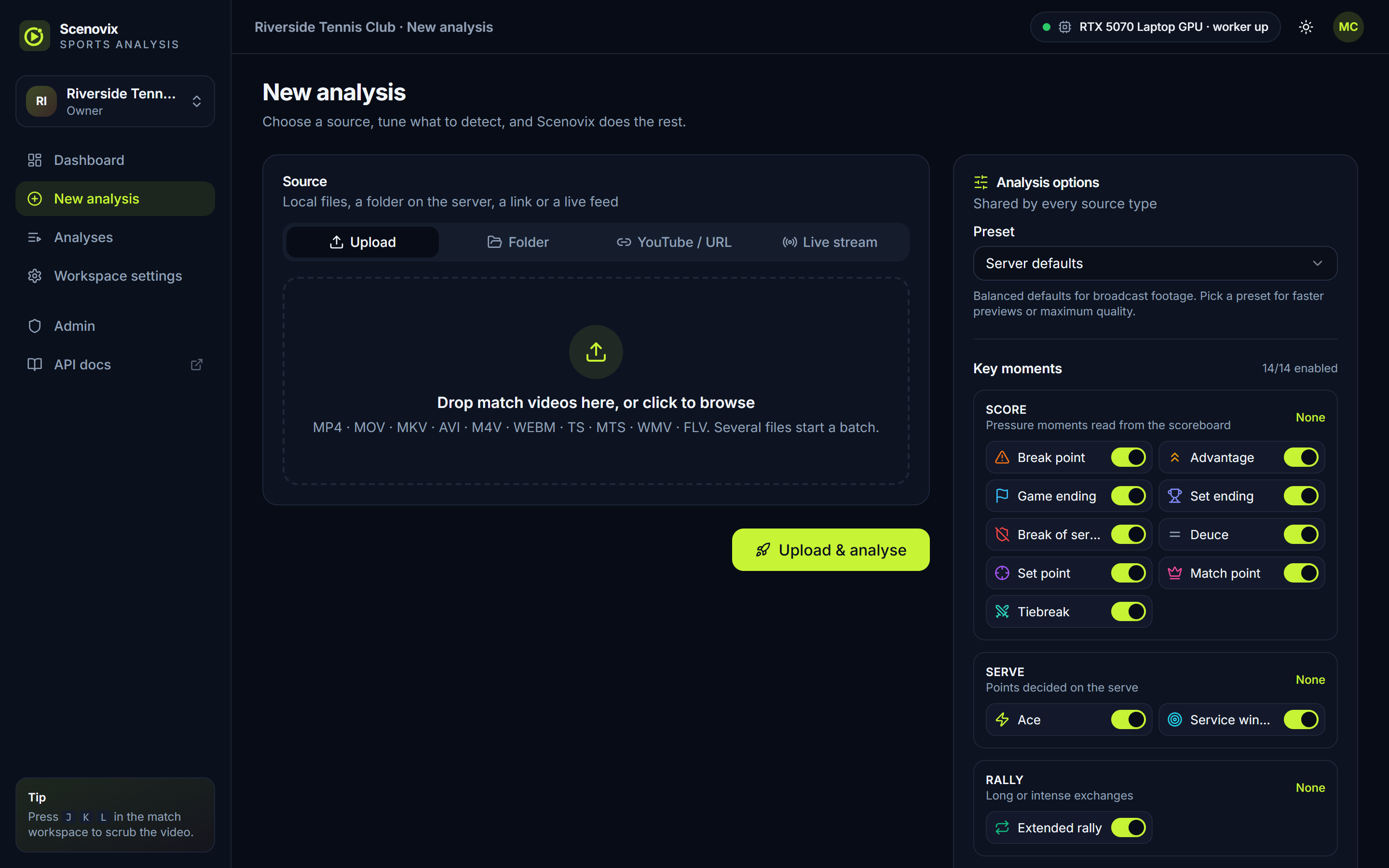
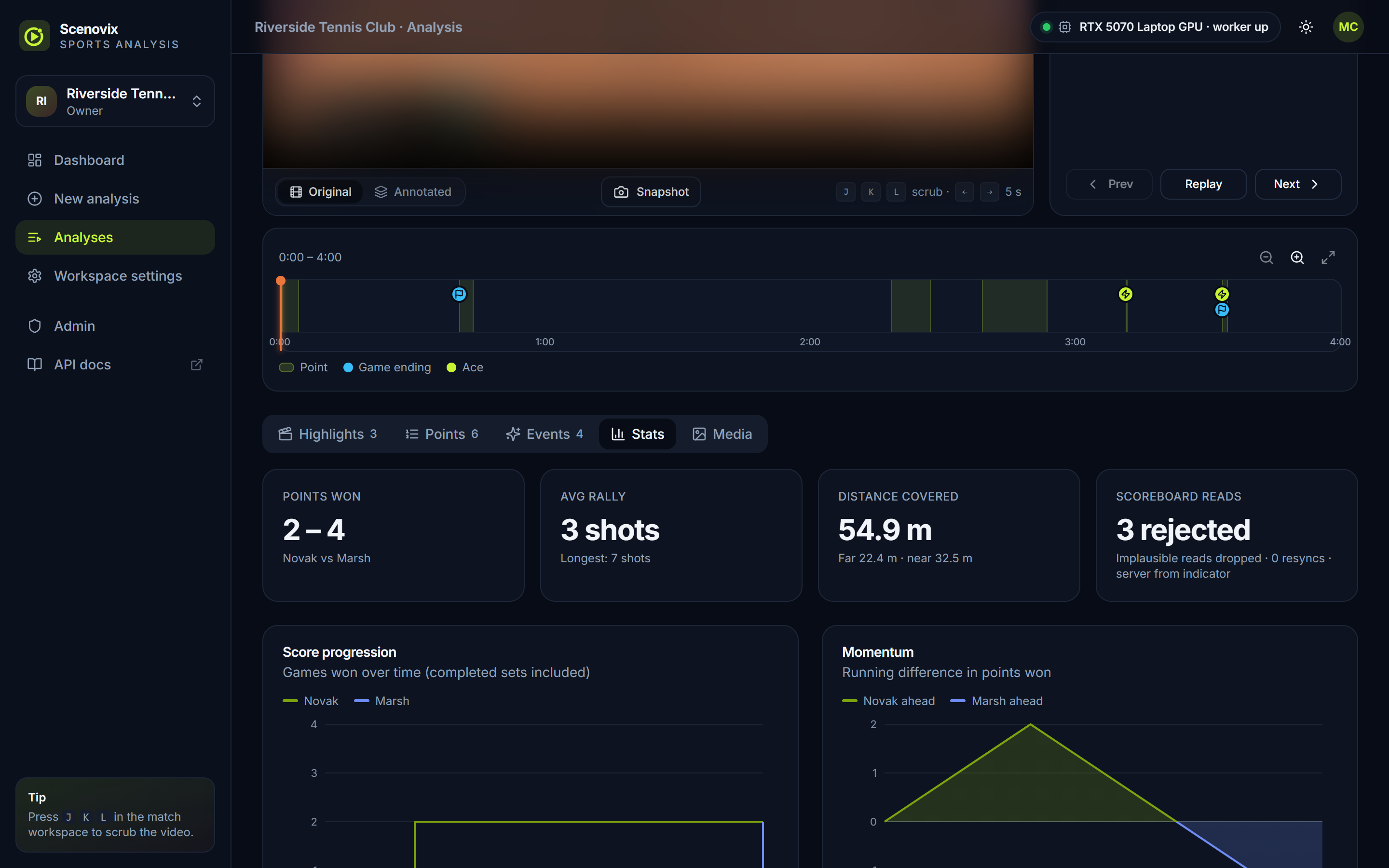
The events list shows every key moment with its time, confidence and point. Filter by type, confidence or review status and play any moment.
Accept, reject or trim
Accept the moments you want, reject the rest and trim clip ranges. Moments can also be re-typed through the API.
Rebuild the reel
Re-cut the clips, the reel and the CSV with your decisions applied. The PDF report updates to leave rejected moments out.
Re-analyse in seconds
Change settings such as the first server or the match format and re-run scoring from the saved data. No GPU needed, and your reviews are kept.
Stats
The numbers behind the match
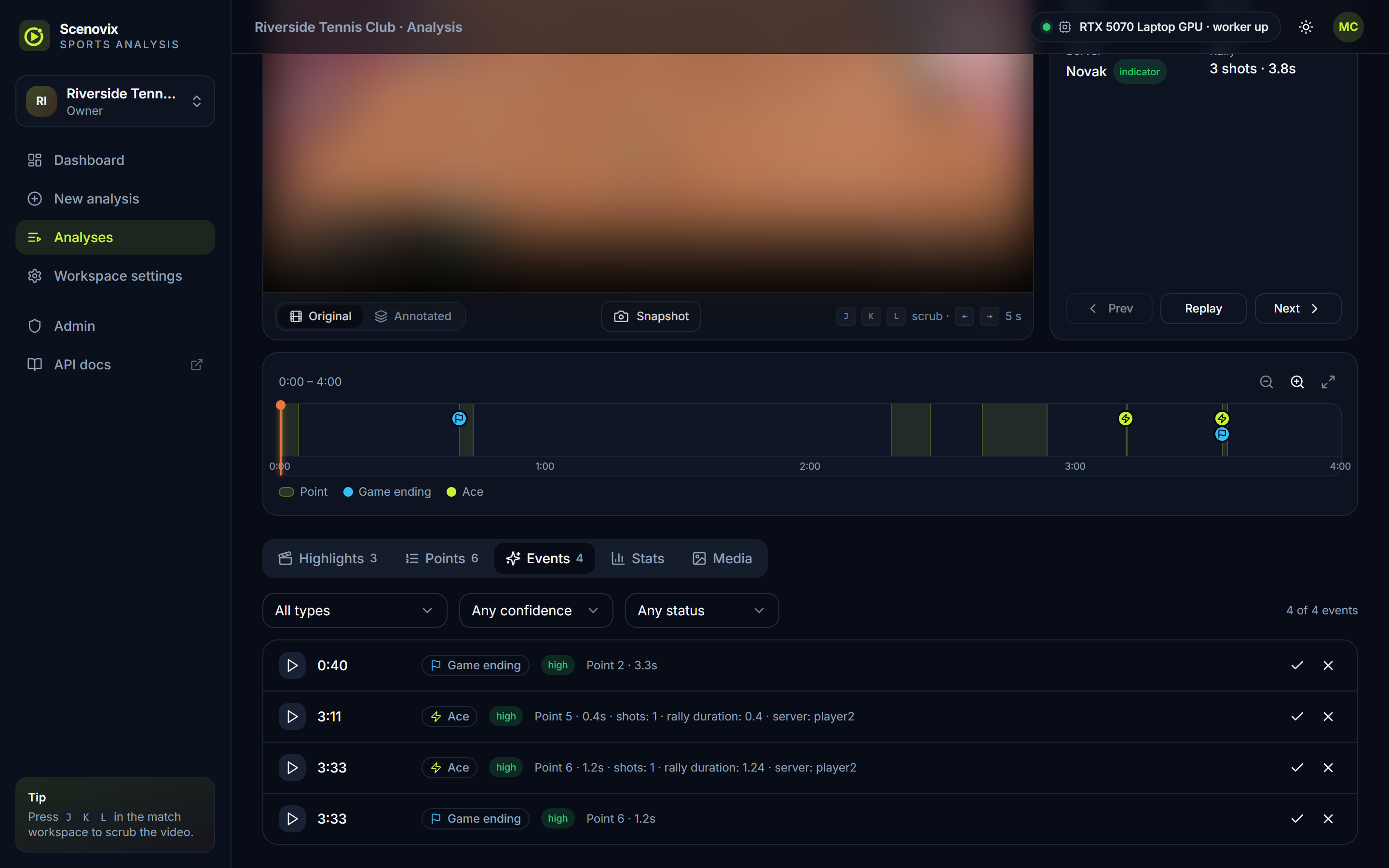
Every analysis comes with match statistics in the app, in the PDF report and in the JSON export.
- Points won per player
- Average and longest rally, in shots
- Distance covered by each player
- Score progression over time
- Momentum: running difference in points won
- Rally length distribution
- Key moments by type
- Distance per point
- Court heatmap of where each player stood
- Scoreboard read quality: rejected reads, resyncs, server source
Exports and media
Clips, reels, reports and data
Download single files or one ZIP with everything. All video is H.264 with AAC audio, so it plays in any browser.
Clips and highlight reel
Each point with a key moment gets a clip with padding you choose. Clips are cut from the original video with sound and merged when they overlap.
Social reels
1080x1920, 1080x1080 or 1920x1080. Keep the full court on a blurred fill or follow the action with a smart crop. 15, 30, 60 or 90 seconds, or every highlight.
Annotated video
The match with detection boxes, player tracks, a ball trail, the committed score and moment banners drawn on.
PDF match report
A printable summary with charts, a court heatmap, key moments with thumbnails and the point-by-point table.
Snapshots and thumbnails
Full-resolution frames from the original or annotated video, plus a thumbnail for every key moment.
Data exports
report.json with the summary, points, moments and score changes, a point-by-point CSV log, and a ZIP of everything.
Workspaces and teams
Built for working together
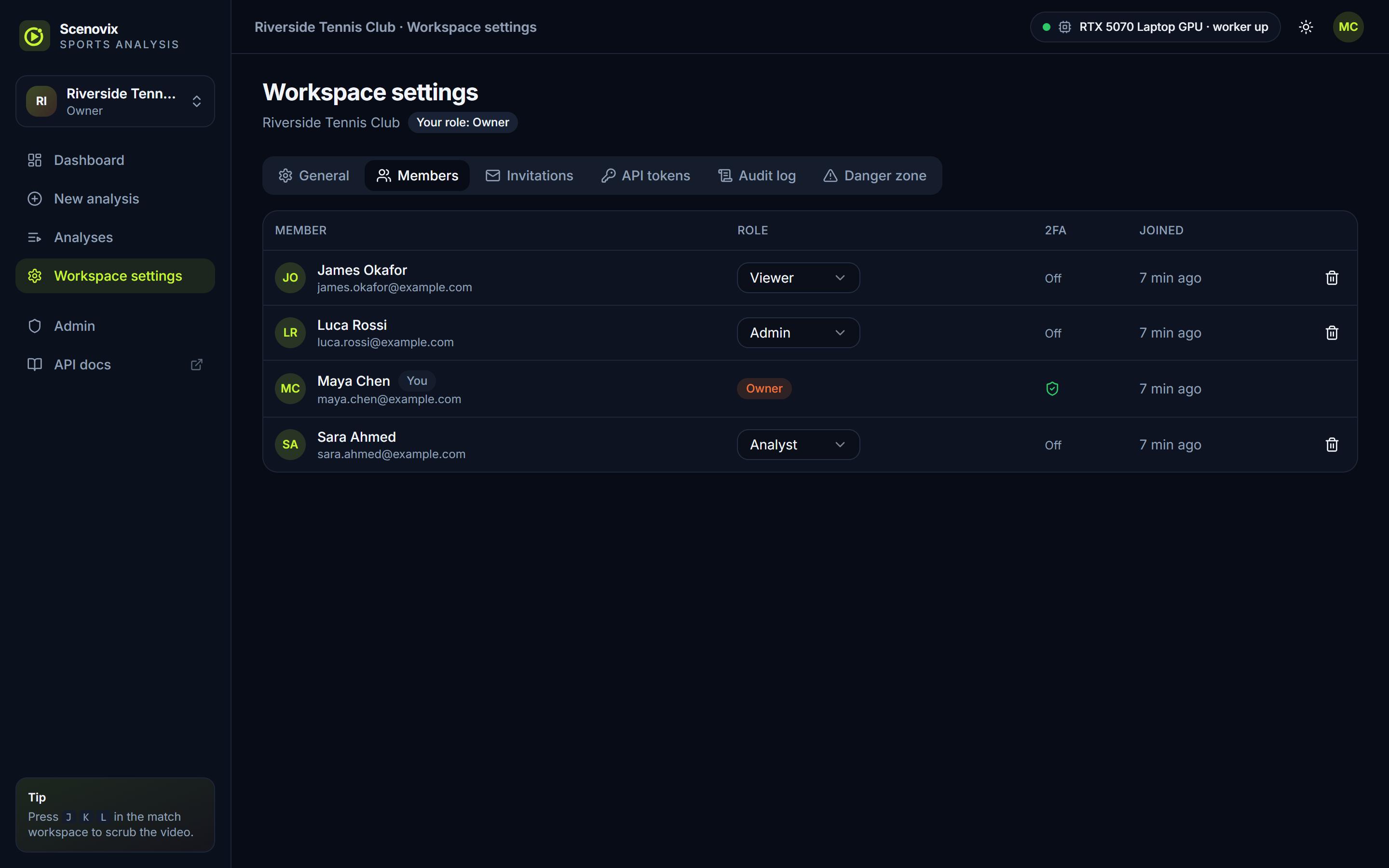
Invite colleagues by email with a role. Owners and admins manage members, and what each role can do is enforced on the server.
Workspaces and roles
Analyses live in workspaces. Members are owners, admins, analysts or viewers, and the server enforces what each role can do.
Two-factor and single sign-on
Authenticator-app 2FA with recovery codes, and sign-in through any OpenID Connect provider. Workspaces can require either.
Scoped API tokens
Tokens bound to one workspace with the scopes you choose and an expiry. Revoke them at any time.
Audit log
An append-only record of who did what and when, per workspace and for the whole instance.
GPU processing and deployment
Runs on a GPU, on your terms
Analysis runs on an NVIDIA GPU. A single worker takes jobs in order, keeps the models loaded between jobs and reports progress live.
776 sin416 s
Presets trade speed for detail: a fast preview, balanced server defaults, or a larger detector for broadcast HD footage.
Docker Compose
One image with the web app, the API and the GPU worker, next to PostgreSQL 17 and a migration step. The same files run on a workstation or a Linux server.
NVIDIA GPU or CPU
GPU hosts need only the NVIDIA driver and Container Toolkit. A CPU-only mode is available for testing.
Self-hosted on your infrastructure
Run it behind your own reverse proxy with TLS. Videos, results and the database stay on your servers.
Without Docker
Install on Windows or Linux with your own PostgreSQL, or use the command line tool for scripted analysis.
Honest limitations
What Scenovix does not do yet
We would rather you know the boundaries before you send us footage.
Tennis only, for now
Tennis is the only sport supported today. Other sports are on the roadmap.
A broadcast-style scoreboard is required
Points come from a readable two-row scoreboard on screen. Without one, ball and player data alone do not create points.
Singles only
The analysis expects one player per scoreboard row and per side of the court.
Unusual scoreboard layouts
Boards with points left of games, three rows or text between the columns may be misread.
Fast serves can be missed
The ball is the hardest object to detect. Some aces are missed rather than invented.
Distances are estimates
Court mapping is approximate. The heatmap shows where players stood, not exact positions.
Shot counts follow the camera
Shots are visible net crossings, so camera cuts during a rally lower the count.
Crowd reactions need audio
They are found in the audio track of files and links, not in live streams, and commentary peaks can trigger them.
See Scenovix on your own match video
Early access is free. Tell us about your sport, your footage and what you want out of it, and we will set you up.